Author: he
-
Meet Elmar: a Discord helper for newly licensed Icelandic radio amateurs
I have been building a Discord bot called Elmar for the local Icelandic amateur radio community, mainly focusing on newly licensed amateurs. I’ve managed a Discord server for that group, inviting people taking the licensing course to join.

It started with a practical problem: helping newly licensed operators explore possible callsigns. It has since grown to include callsign lookups, local geomagnetic conditions and an estimate of the ionospheric critical frequency near Reykjavík.
The project repository is on GitHub: hrafnkelle/elmar-discord-bot.
My aim is to make a few useful pieces of information easy to ask for while we are already talking about radio. Discord’s slash commands provide a convenient interface, and keeping each feature small gives me room to investigate its data sources and limitations.
(more…) -
I set up an AllStarLink node
I’ve set up an AllStarLink node for use at home, using a Raspberry Pi 3 as the host for the AllStarLink software.
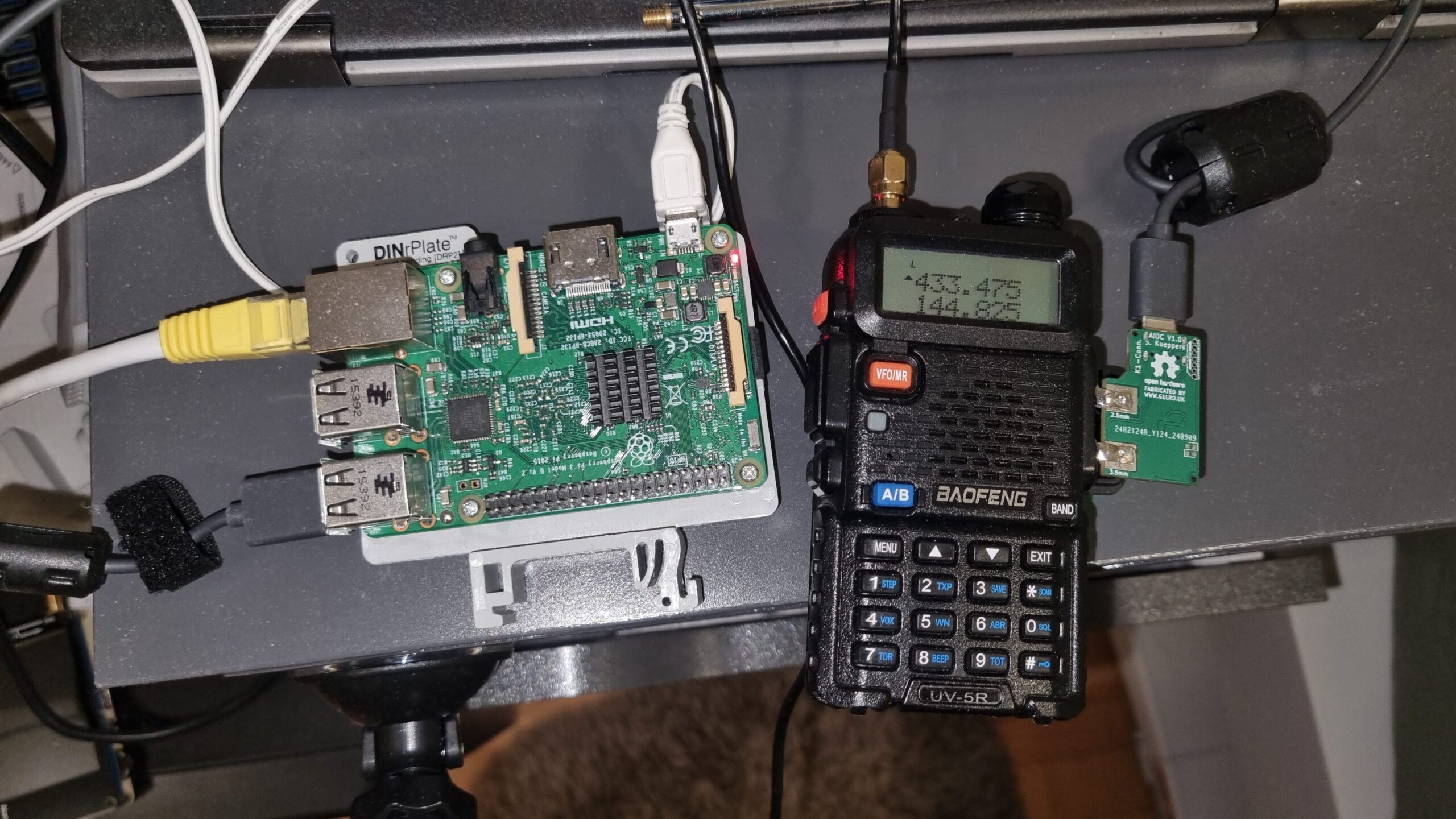
For the radio side, I’m using a Baofeng UV-5R, connected to the Raspberry Pi through an AIOC interface. The AIOC handles both the audio path and PTT control, which makes it a neat and compact way to connect the radio to the node.
I configured the AIOC using my AIOC-UTIL tool, and for the AllStarLink side I used the ASL3 Raspberry Pi appliance install. That combination made the setup straightforward: configure the interface, install the appliance image, connect the radio, and bring the node online.
Overall, it was a simple and practical way to build a small home AllStarLink node using hardware I already had available.
My node number is 65257.
-
Simplify AIOC Configuration with AIOC-UTIL
The AIOC (All In One Cable)is a well known adapter to easily connect a handheld radio with a K style connector to a computer over USB-C for both audio, keying (PTT) and programming.


While the AIOC is versatile and powerful it can be hard to configure. Thats why I created the AIOC-UTIL command line utility. I true amateur radio spirit I made it open source. The AIOC-UTIL enables you to adjust various configuration registers from a command prompt where you have Python available. An example command line to adjust the VCOS timeout could be
./aioc-util.py --vcos-timctrl 1500 --storeWhile the README.md file from AIOC-UTIL tries to have clear setup instructions I thought it might be possible to make it even easier to configure through a web page. I therefore made a webpage version of AIOC-UTIL. The webpage can be found on https://aioc-util.tf3hr.net/ and the source code is found in the GitHub repository.
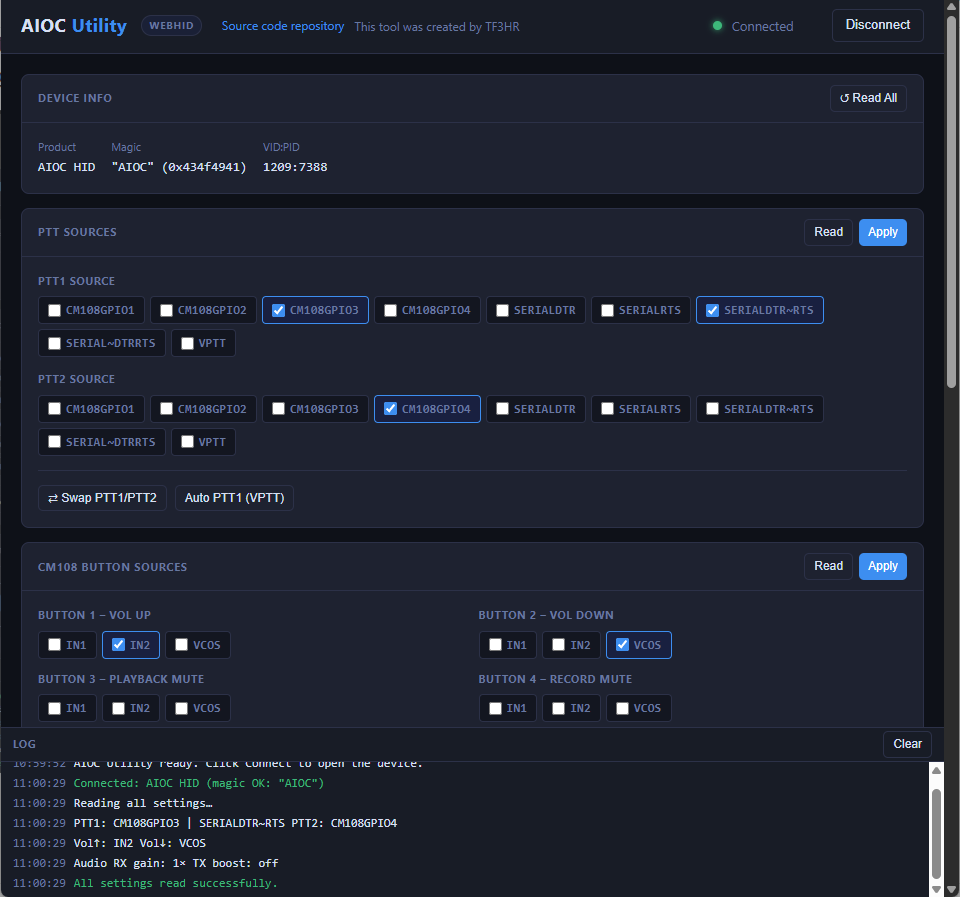
Screenshot of the AIOC-UTIL webpage. There is no “backend”, everything is running in the browser. Chromium based browsers have an implementation of the communication protocol used by the AIOC that allows for direct access to the AIOC hardware from the browser. The protocol is called HID and the implementation in the browser is WebHID. The WebHID is only supported on desktop browsers so unfortunately the AIOC-UTIL webpage will not run from a mobile phone.
I hope this simplifies using the great AIOC adapter. Go ahead and make a AllStarLink node, set up a FoxHunt or use the AIOC to have some SSTV fun with your handheld radio!